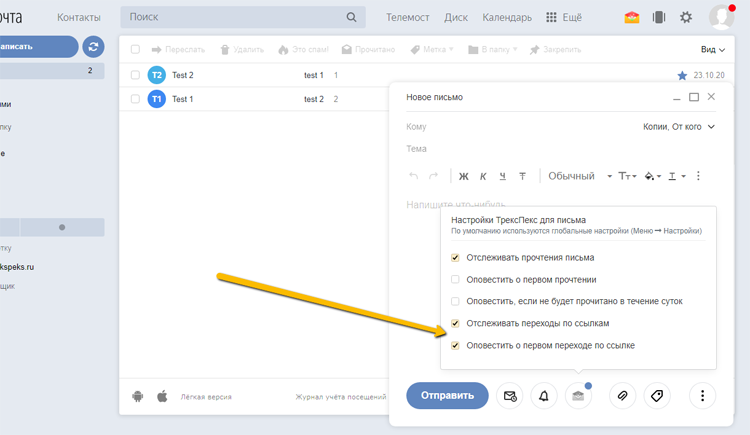
Setting Up Link Click Tracking
There are two ways to enable link click tracking in your emails:
Link clicks will be shown in the "Link Clicks" report, as well as for a specific email when hovering over the green check marks in the Sent folder.
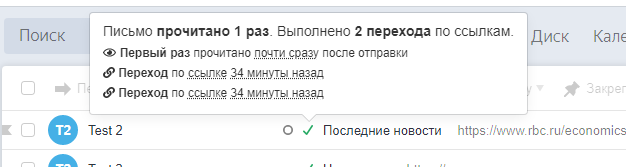
You can also enable email notifications about link clicks. In this case, you will receive an email notification after the first click on a link in a sent email (one notification per sent email).
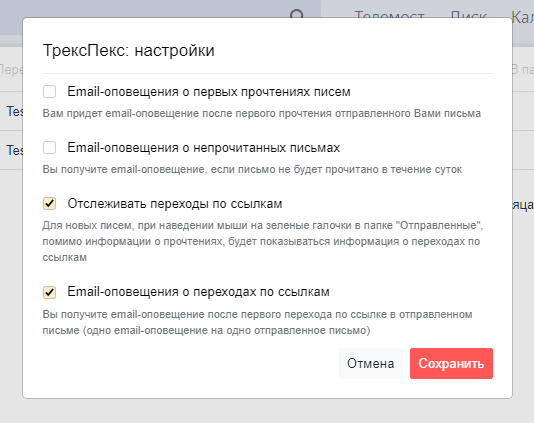
Enabling Tracking in Global Settings
When enabled in global settings (Menu > Settings), link click tracking will be enabled by default for all new outgoing emails
Enabling Tracking in Per-Email Settings
By default, global settings are used, but you can enable/disable link tracking for a specific email