Setting Up Read Tracking for Emails
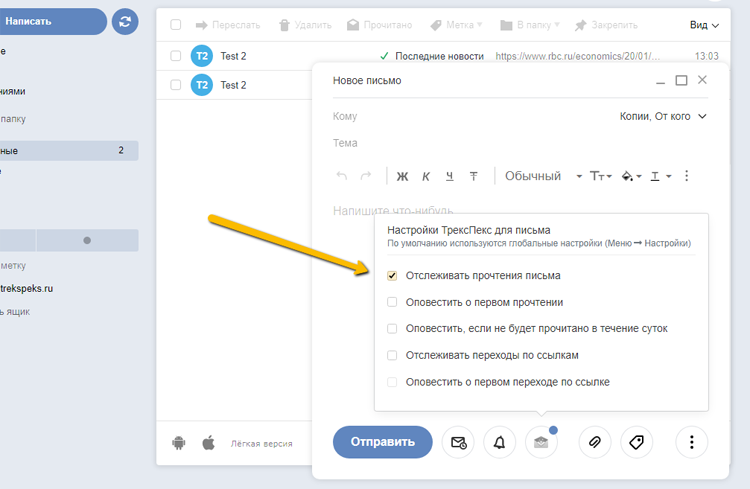
By default, read tracking is enabled, but you can disable it for individual emails in the settings for a specific email
After sending an email with tracking enabled, a gray check mark appears next to it in the Sent folder, indicating it has not yet been read. After the email is read, the check mark turns green, and hovering over it shows information about all reads of this email.
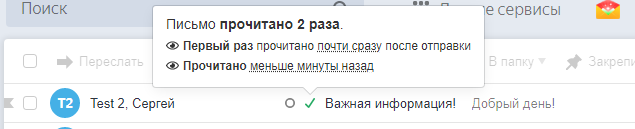
Additionally, reads will be shown in the "Latest Read" report.
You can also enable email notifications about reads and an email notification that we will send if an email has not been read within 24 hours.
Enabling and Disabling Read Tracking in Per-Email Settings
As mentioned earlier, tracking is enabled by default, but you can disable it for a specific email as shown in the image